 xxxsjan Docs
node安装依赖时python问题
sass说没python
gyp verb check python checking for Python executable "python2" in the PATH
意思是找不到python2,也就是没安装python环境
使用限制:node版本16.15
方法一
https://blog.csdn.net/zhao97/article/details/109203025
npm config set sass_binary_site=https://npm.taobao.org/mirrors/node-sass
npm config set sass_binary_site https://npm.taobao.org/mirrors/node-sass
https://www.yuque.com/shenmingkai/notes/hf4bq7
方法二
npm install --global --production windows-build-tools
npm install --global windows-build-tools
yarn global add windows-build-tools
方法三
windows-build-tools装不了的话,可以去C:\Users\admin.windows-build-tools
这个目录,点击python安装包进行安装
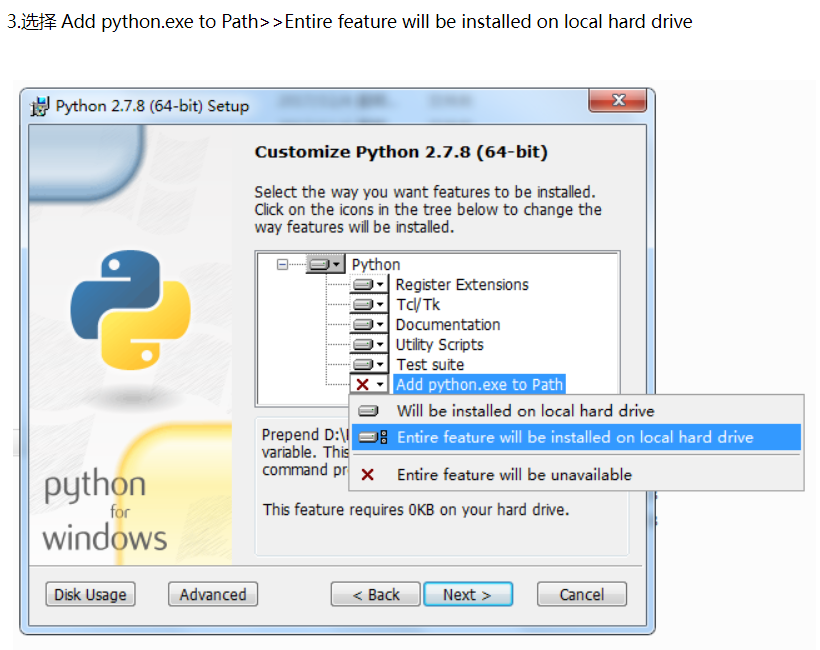
记得选择添加环境变量,
安装python27
https://www.python.org/downloads/
安装时记得选Add python.exe to Path>>Entire feature will be installed on local hard drive
选上了会把安装目录添加到环境变量
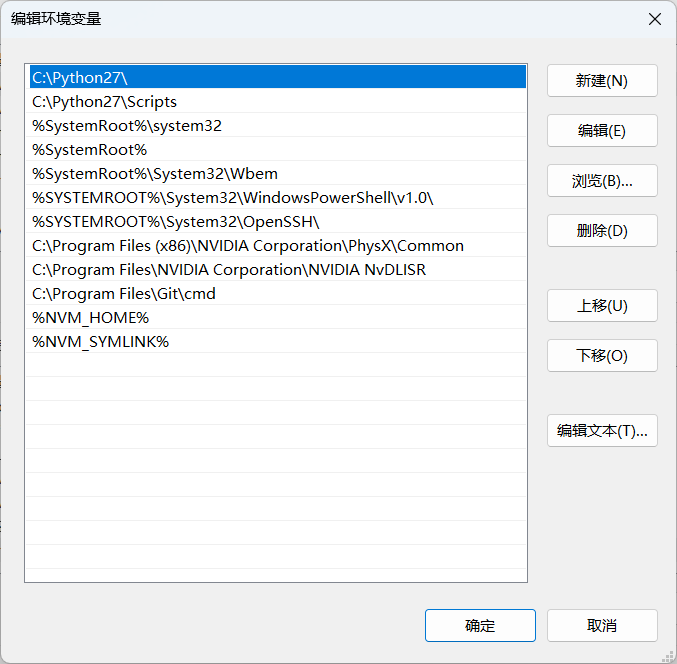
假如错过了可以手动设置环境变量
右键我的电脑--属性--高级系统设置--环境变量:
系统变量,PATH,添加C:\Python27
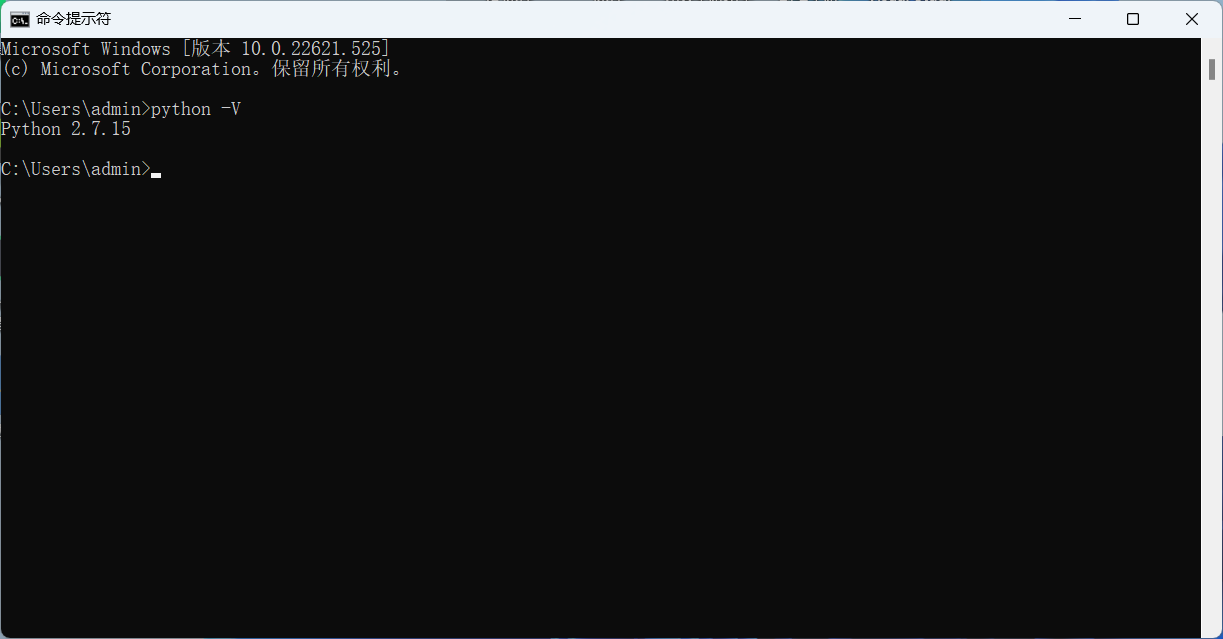
检验安装结果
python -V
vs_buildtools 、 Visual Studio
另一个vs_buildtools也要操作
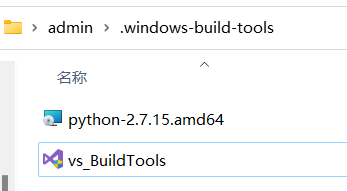
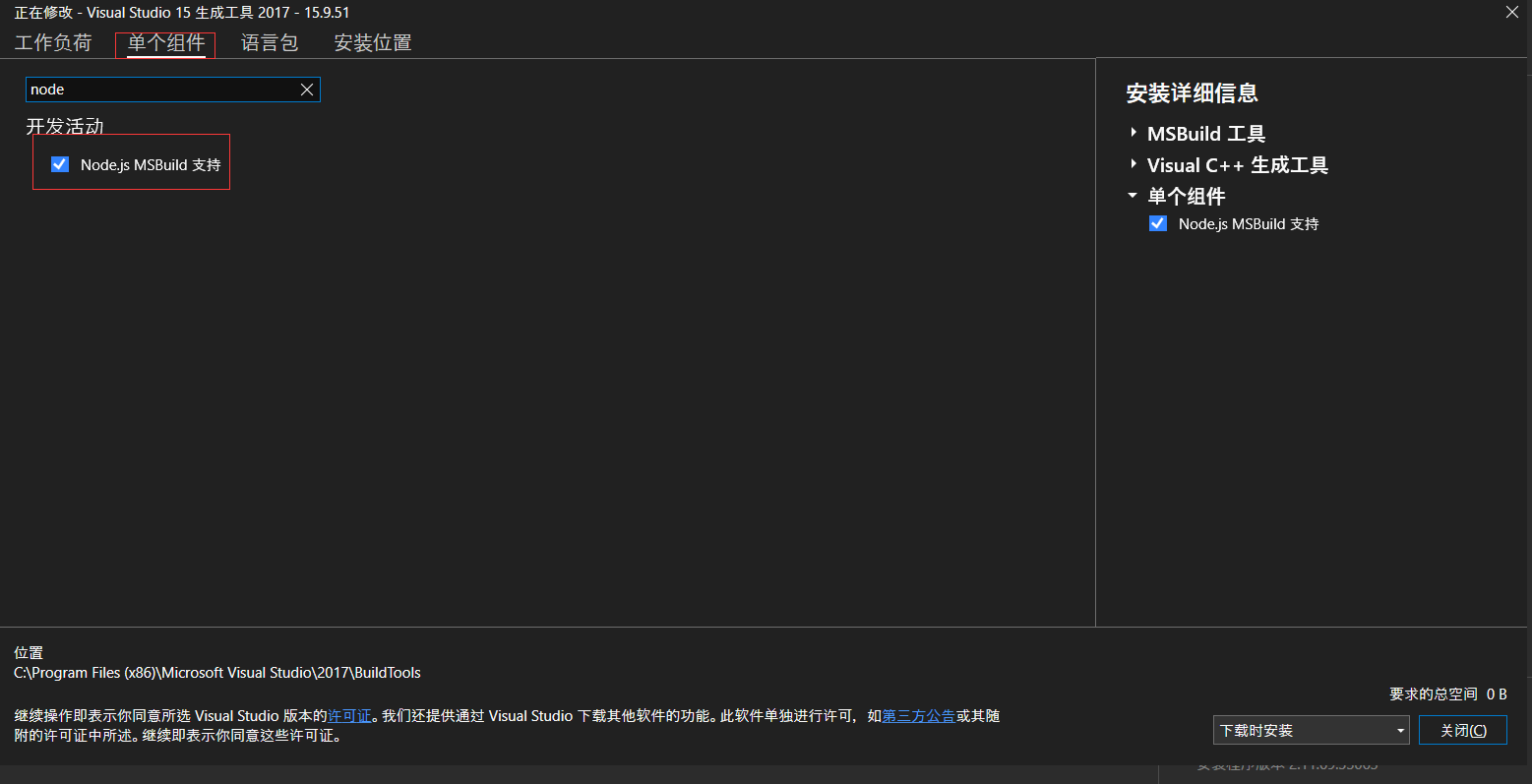
点击打开,点击修改,单个组件,搜索node,结果就一个,勾选完,右下角确认(下载)
其他
https://blog.csdn.net/wangtao88888888/article/details/106681641
报错:需要python3
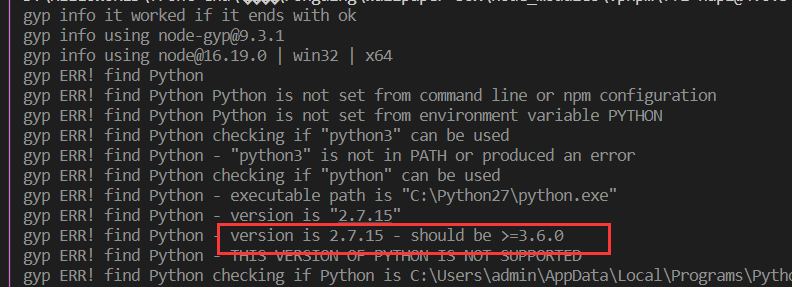
2 3共存方式
https://blog.csdn.net/weixin_44953600/article/details/107638692
直接改名
python.exe改成 python2.exe
pip共存
python3.x 目录下的 pip.exe文件删除
安装pip2:在Dos中输入:python2 -m pip install --upgrade pip --force-reinstall
安装 pip3: 在Dos中输入:python -m pip install --upgrade pip --force-reinstall
其他方法
https://www.jianshu.com/p/fe327b72fa31
miniconda会小一点,50m