 xxxsjan Docs
LF和CRLF问题
网上的各种方法
1 .aditorconfig
[*.{js.jsx,ts,tsx,vue}]
end_of_line = CRLF  // end_of_line = LF
2 eslint关闭
https://juejin.cn/post/6844904084231700487
"linebreak-style":"off"3 prettier
// https://prettier.io/docs/en/options.html#end-of-line
{

  "endOfLine": "auto" // lf|crlf|cr|auto
}
4 vscode配置修改
这个靠谱点 https://blog.csdn.net/weixin_45599105/article/details/124092852 vscode设置 - 搜索 行尾 \n 是lf \r\n 是crlf 这里改成\n 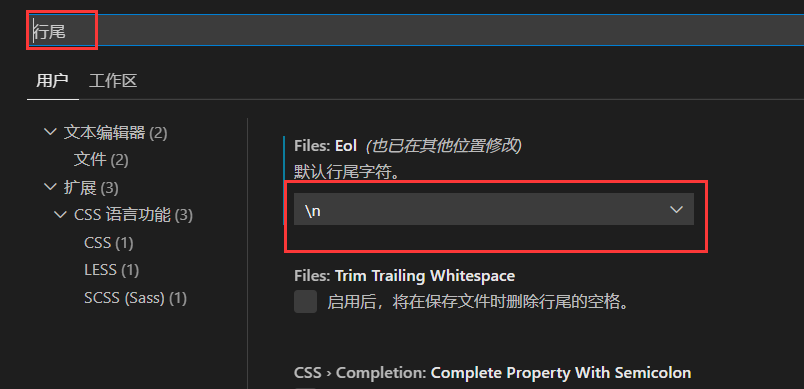 右上角点击进去,添加或修改
 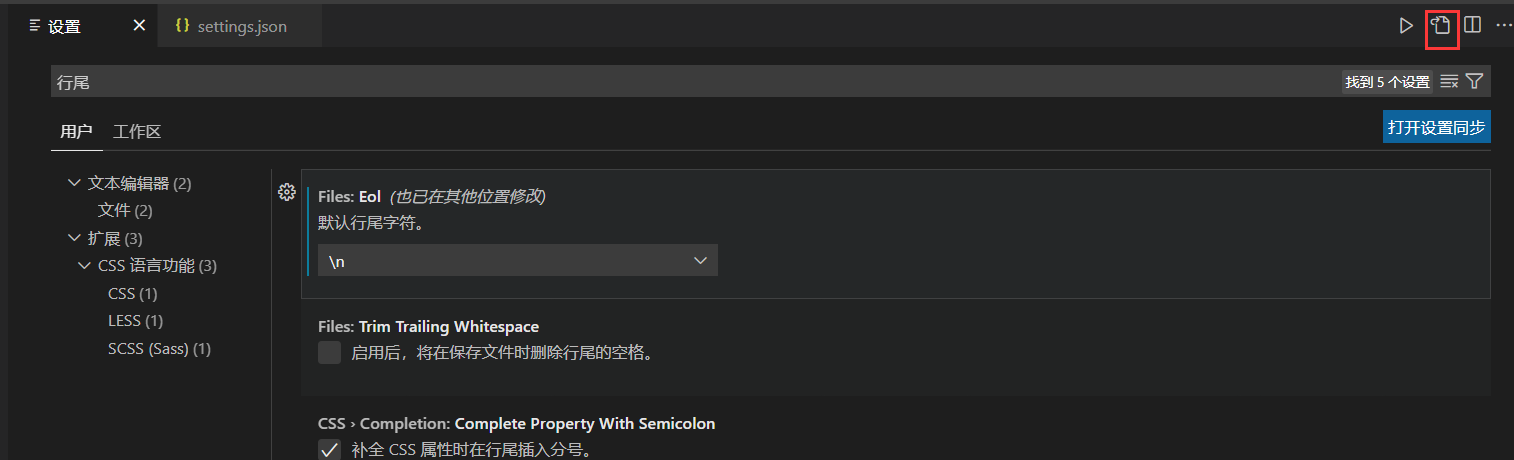 意思是保存时使用eslint格式化
"editor.codeActionsOnSave": {
    "source.fixAll.eslint": true
  }
这样就不会报错了,不行,重启vscode试试
5 单个文件修改
点击把crlf改成lf  不想一个个改 可以通过先修改.prettier的"endOfLine": "lf"(默认auto虽然是lf,但你原本是crlf他不理你) 然后执行npx eslint npx eslint "src/**" --fix 他会自动格式化,把crlf改成lf
git换行符问题
https://www.jianshu.com/p/27b31c4786b4
AutoCRLF

#提交时转换为LF,检出时转换为CRLF

git config --global core.autocrlf true

#提交时转换为LF,检出时不转换

git config --global core.autocrlf input

#提交检出均不转换

git config --global core.autocrlf false

SafeCRLF

#拒绝提交包含混合换行符的文件

git config --global core.safecrlf true

#允许提交包含混合换行符的文件

git config --global core.safecrlf false

#提交包含混合换行符的文件时给出警告

git config --global core.safecrlf warn
Component name "index" should always be multi-word.
原因 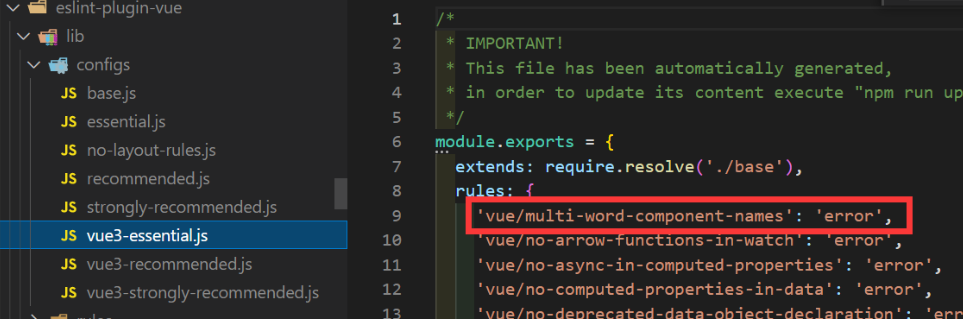 修改 .eslintrc.js rules
rules:{
"vue/multi-word-component-names": [
      "error",
      {
        ignores: ["index"], //需要忽略的组件名
      },
],
}
Promise executor functions should not be async
//eslint配置了:“extends”: “eslint:recommended”,
//这个规则禁止了使用异步的Promise executor函数。

//err:Promise executor functions should not be async

//bad
return new Promise(async(resolve, reject) => {
const res = await $getdata()
})

//good
return new Promise((resolve, reject) => {
const res = $getdata()
})
或者你去掉禁止的配置,使用第一种
标签属性格式化换行问题
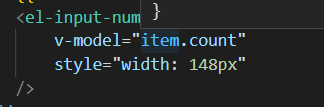 不换行他就报错 vscode - setting.json
{
  "vetur.format.defaultFormatter.html": "js-beautify-html",
  "vetur.format.defaultFormatterOptions": {
    "js-beautify-html": {
      "wrap_attributes": "auto"
    },
  }
}
另一种方法 他不是报错吗,直接npx eslint --fix .vue src 让他自己fix
eslint 命令
npx eslint "src/" 检查 npx eslint "src/" --fix 检查并修正 eslint --ext .js,.ts,.vue src // 检查src下的 js ts vue eslint --ext .js --ext .ts,.vue src // 检查所有 js 和 src下的 ts vue eslint --fix src // 修复js ts,默认就是这两 eslint --fix --ext .js,.ts,.vue src // 修复src下的js ts vue